In this guide we will explain a step-by-step overview of how to sign up for a Motus account and provide resources for troubleshooting along the way.
What is Motus?
Motus in a nutshell is a replacement for the FMCSA Portal. Motus is a modern, secure platform that allows businesses to easily register with the FMCSA. On top of that, employers previously had to submit their MCS 150 Forms & do their Biennial Updates through mail, but now employers can use Motus to submit these forms. If you want a more detailed look at what Motus is, refer to the FMCSA’s Motus Guide.
How to Sign up for a Motus Account (Step-by-step)
The guide below was last updated June 25th, 2026. If anything appears to have changed in this process feel free to email us at ktheathclinic@kthealthclinic.com.
Have your Clearinghouse and FMCSA Portal Account Accessible
- Log into your clearinghouse account and navigate to your Clearinghouse profile.
- Ensure your account has zero errors listed under your profile. If your account is connected to your portal account correctly skip to step 5.
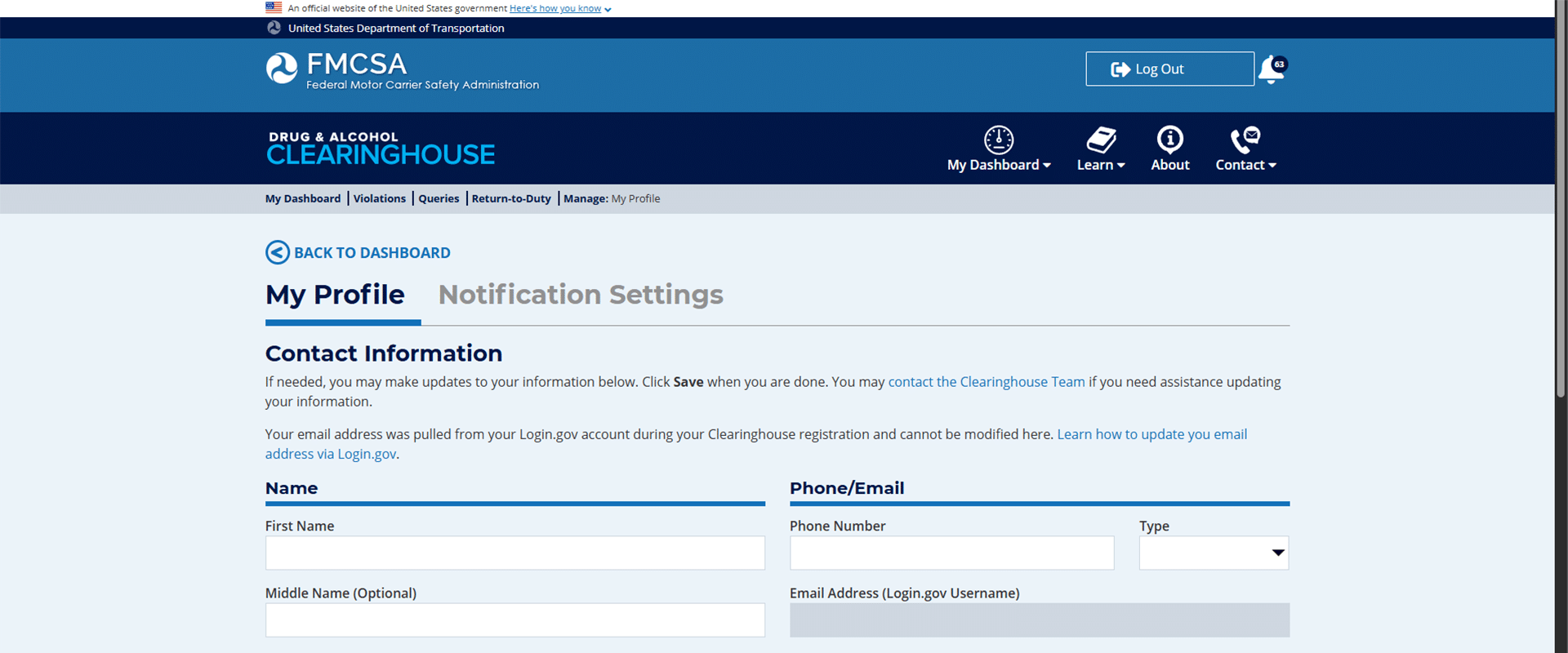
- Re-linking your portal account: If you have previously linked your portal account to your clearinghouse and have not logged in for 90 days, your account may show this.
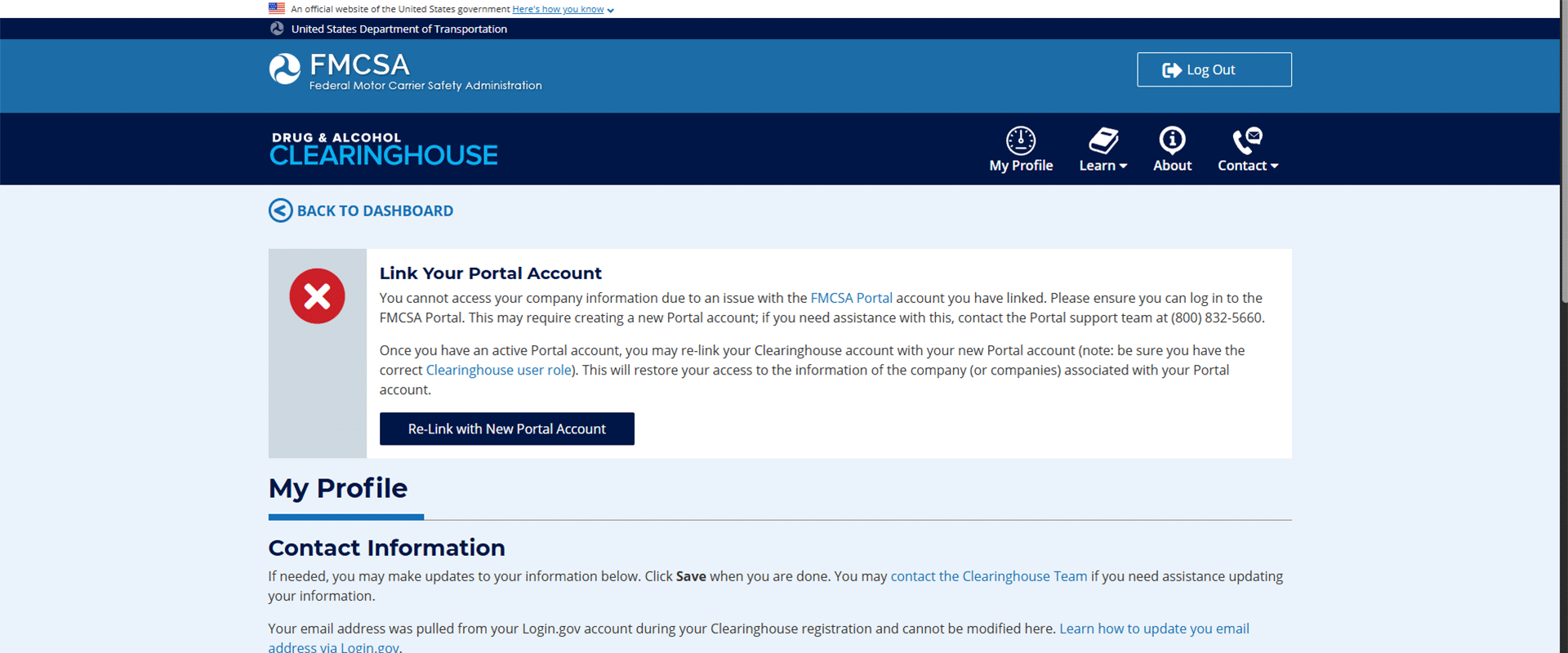
Connecting your Portal Account
- Click the link to log into your FMCSA portal account and follow the instructions provided by the FMCSA for re-adding the appropriate portal user role to your profile.
You may need:
-
- USDOT#
- Account PIN#
- Set-up Security Codes
- For further assistance, call the FMCSA at 800-832-5660, or if you are enrolled in our consortium call us today at 417-832-8678.
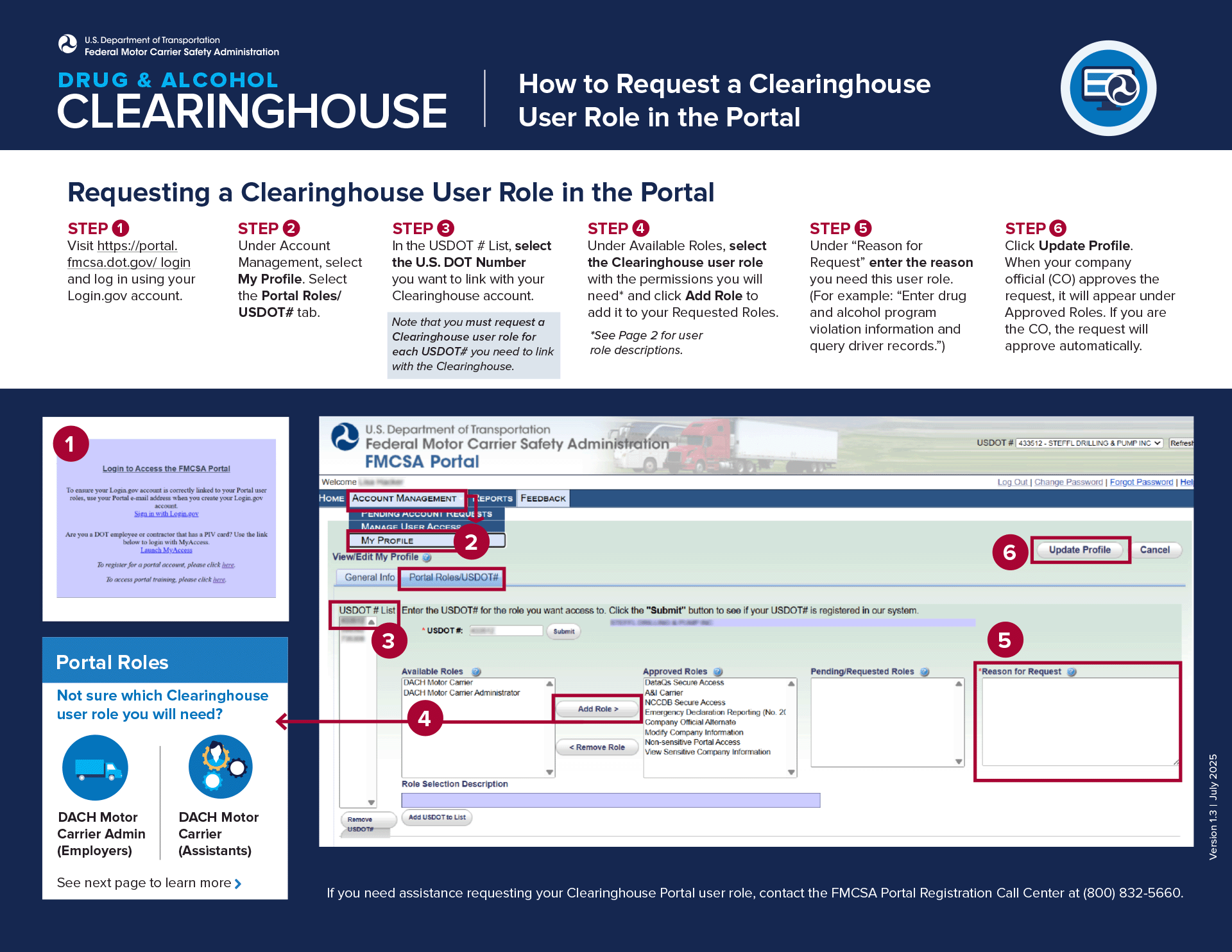
Motus Registration
- Once your Clearinghouse & Portal Account are linked and accessible, navigate to the Motus log-in portal. You may be prompted to log in using the same credentials from your “Log-In.gov” account, do so and proceed.
- First, you will be required to complete Identity verification. It is easiest to complete this step with an up-to-date smartphone (some browsers may not be compatible). Have 2 supporting documents handy and be ready to take a photo of yourself. Note that if you fail verification 3 times you will be required to verify in person at a FMCSA Verification Site.
- The identity verification requires 2 supporting documents, however, we have found that just submitting your driver’s license twice works as well. Make sure you use a dark background with a well-lit area for proper reading.
- Next you are required to take a photo of yourself (that’s why we recommend a smartphone). Use a well-lit space with a light-colored flat background.
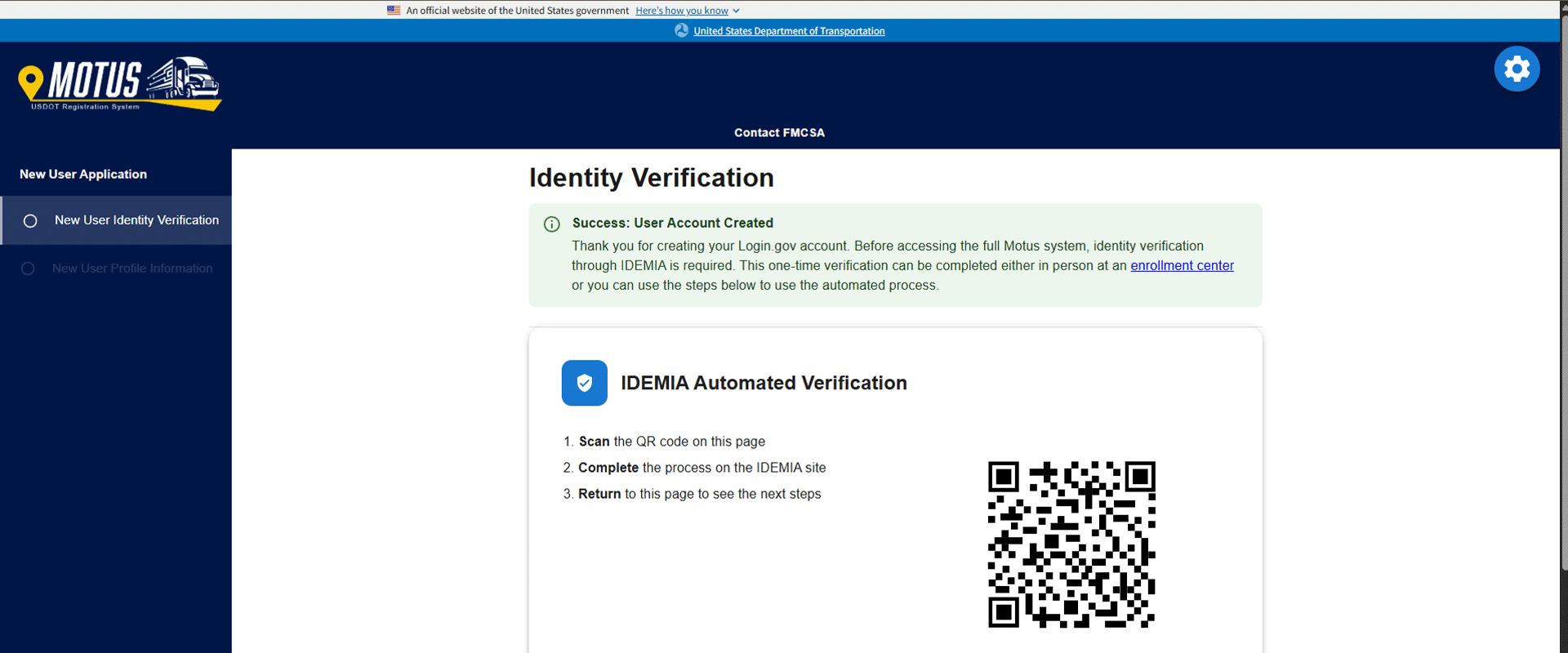
- After completing verification, you will simply fill out your business information as requested.
- Your account is now created. However, you will likely be brought to a screen that has 3 different options. The top option will show “Link your Motus account” or something similar with a button that is greyed out. If this happens to you, you will be required to submit a ticket to the FMCSA for assistance. Navigate to the FMCSA ticket submission.
- Fill out your information, contact email, First & Last Name, & USDOT#.
- Inquiry type: select “Other Issue/Question”
- I need to: select “Ask about a topic not listed”
- In the Question box you will need to Include – Your USDOT Number – Login.gov email address
- Attach Documents – Supporting documentation to verify ownership (such as an IRS letter, articles of incorporation, or other proof of State/municipality). Note: If you do not have any supporting documents, contact your Secretary of State for your Articles of Incorporation. Typically, you can receive these documents quickly.
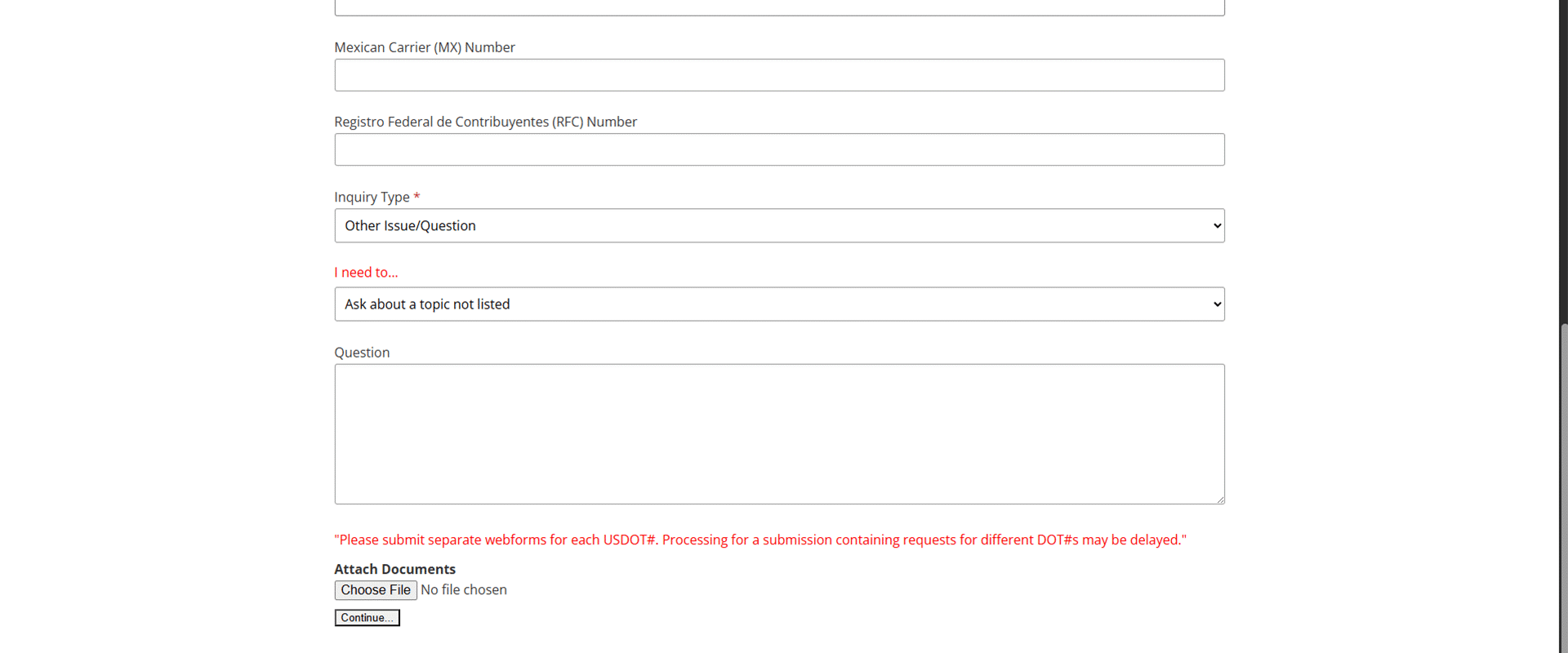
- Once you click “Continue” at the bottom, it will submit your ticket, and you should get an email notification within an hour or so. Now you will just have to wait for your Motus account to be linked to your Clearinghouse account by the FMCSA. Depending on the volume of traffic the FMCSA is currently experiencing, determines how long it would take them to make this change for you.
- That’s it! Now you have a Motus account.
Further Questions
If you would like assistance with signing up for a Motus account, you must be enrolled in our consortium. Enroll here or by giving us a call at 417-832-8678.
Motus FAQs
What is Motus?
Motus is a modern, secure platform that allows businesses to easily register with the FMCSA, manage registrations, and control authorized access all in one place.
Do I need a Motus account?
If you are a motor carrier that requires a USDOT number or operating authority, then you will be required to sign up for a Motus account.
What if I can’t complete identity verification for Motus?
Motus’s identity verification allows for a maximum of 3 attempts. If you fail all 3 attempts, you will be required to verify your identity in person at an FMCSA verification site.
What happens if I don’t sign up for Motus?
If you do not sign up for Motus, you will lose the ability to manage your USDOT number and authority online. You will need Motus to submit your biennial updates and MCS 150 forms.